 United States
US
United States
US









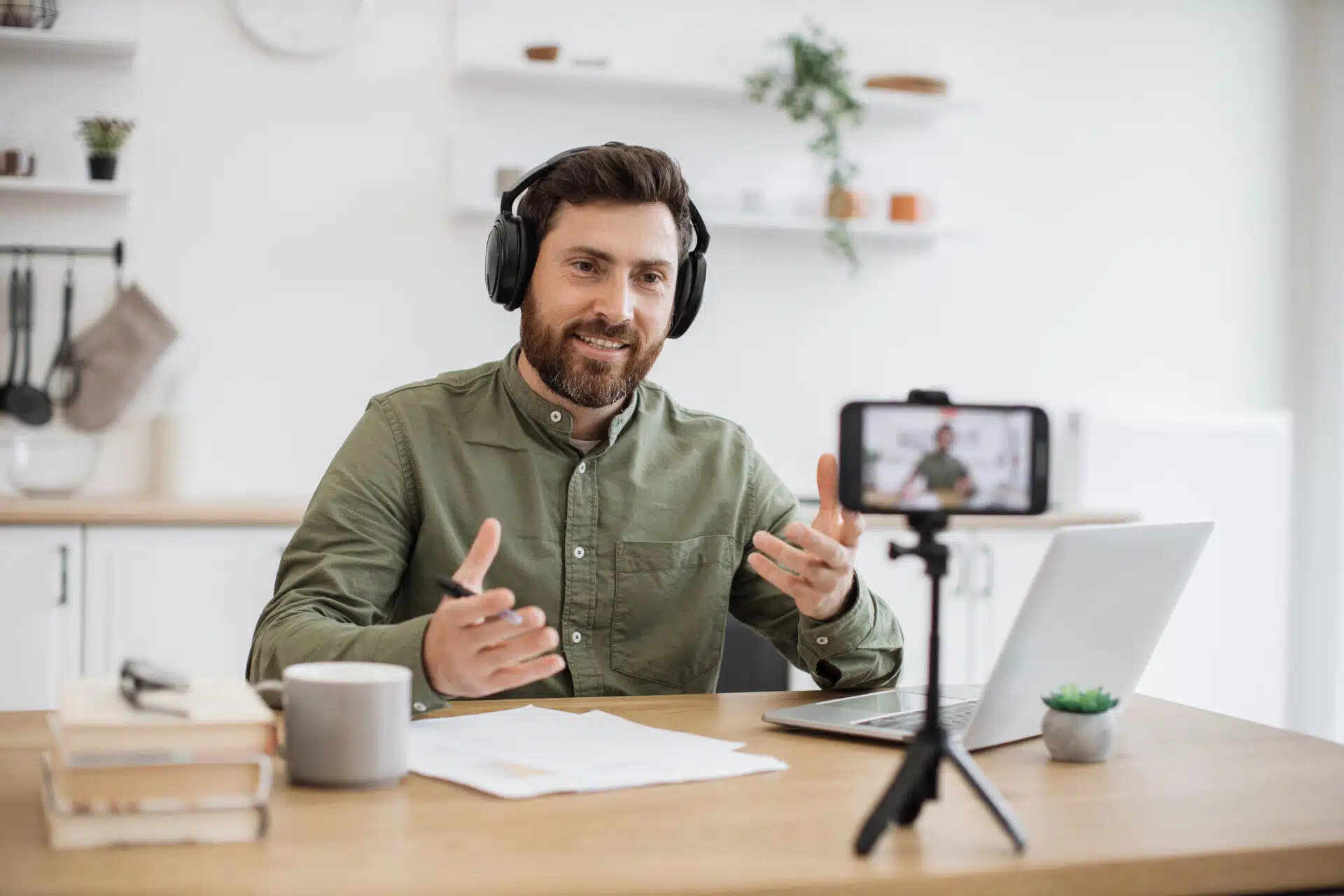
How To Make An Online Introduction Video
Join a global community of over 200,000 TEFL teachers working throughout the world! Enrol me!


 January 20, 2026
Being a TEFL teacher these days is all about marketing yourself and standing out from the crowd. An introduction video is often the first thing potential students see. It’s the gateway to getting more students and showcasing your expertise.
The great news is that you don’t need to be an influencer, an editing pro, or have expensive equipment to create an effective introduction video. I’ve created and updated many intro videos over the years, and I’ve gotten better at it.
Follow this step-by-step guide on how to make a great online introduction video, with tips, mistakes to avoid, and hacks to get you shooting right away.
As they say on set — Lights! Camera! Action!
Read more: How To Market Yourself As An Online English Teacher
Why introduction videos matter in online language teaching
Most online teaching platforms, especially marketplace ones like Cambly, Preply, iTalki, and AmazingTalker, require you to have an introduction video. Students use them to decide if you’re the right fit, based on things like:
- Accent
- Clarity when speaking
- Personality and teaching style
- How well you match their learning goals (e.g., Business English, IELTS test prep, etc.)
Your intro video should aim to help your potential student feel comfortable and have them thinking, “They seem professional and friendly; I think they can help me learn English.”
Read more: Online Teaching Platforms You Need To Know
How to create an introductory video for online teaching:
Planning your content
Before you hit record, planning what you’ll say will save you A LOT of time! Nothing is more frustrating than having to continuously re-record yourself and ending up with a video that shows fatigue and frustration – and hides your true sparkly personality!
Getting it right from the start will help you show your true self on camera.
Read more: Qualities Of A Good TEFL Teacher
What to include in your introduction video
- Your name and where you’re from.
- Teaching and work credentials: TEFL qualification, Bachelor’s degree, English teaching experience or other relevant professional experience (e.g., transferable skills from a marketing role).
- Your teaching niche: IELTS test prep, conversation, Business English, Beginners, adults, etc.
- Teaching style: conversational, fun, creative, structured.
- What students can expect from your lessons: improving fluency, building confidence, improving pronunciation, etc.
- A call to action: “Schedule a trial lesson with me – I’m excited to meet you!”
💡Tip: If you’re targeting lower-level students, remember to speak more slowly and clearly than usual so they can understand you better.
How long should your introduction video be?
Attention spans are shorter than ever. Keep it between 45 and 90 seconds, even if most platforms recommend 1–2 minutes.
Scripting vs speaking naturally
Reading from a script can be noticeable in a video, so try to speak as naturally as possible — use bullet points or cue cards to guide you.
Practice by recording yourself two or three times to get a feel for your delivery. Watch the recordings and note what improvements you can make.
The goal is authenticity, so be yourself and let your confidence and warmth shine through.
Setting up your recording space
Let’s take a look at how simple it is to get yourself camera-ready.
Equipment and audio
You can use your phone or your PC/laptop if it has a webcam.
Audio can be tricky — the difference between using your camera or laptop microphone and a headset with a mic is quite significant. Audio quality from a headset with a mic is unmatched, as it doesn’t pick up as much (or any) background noise.
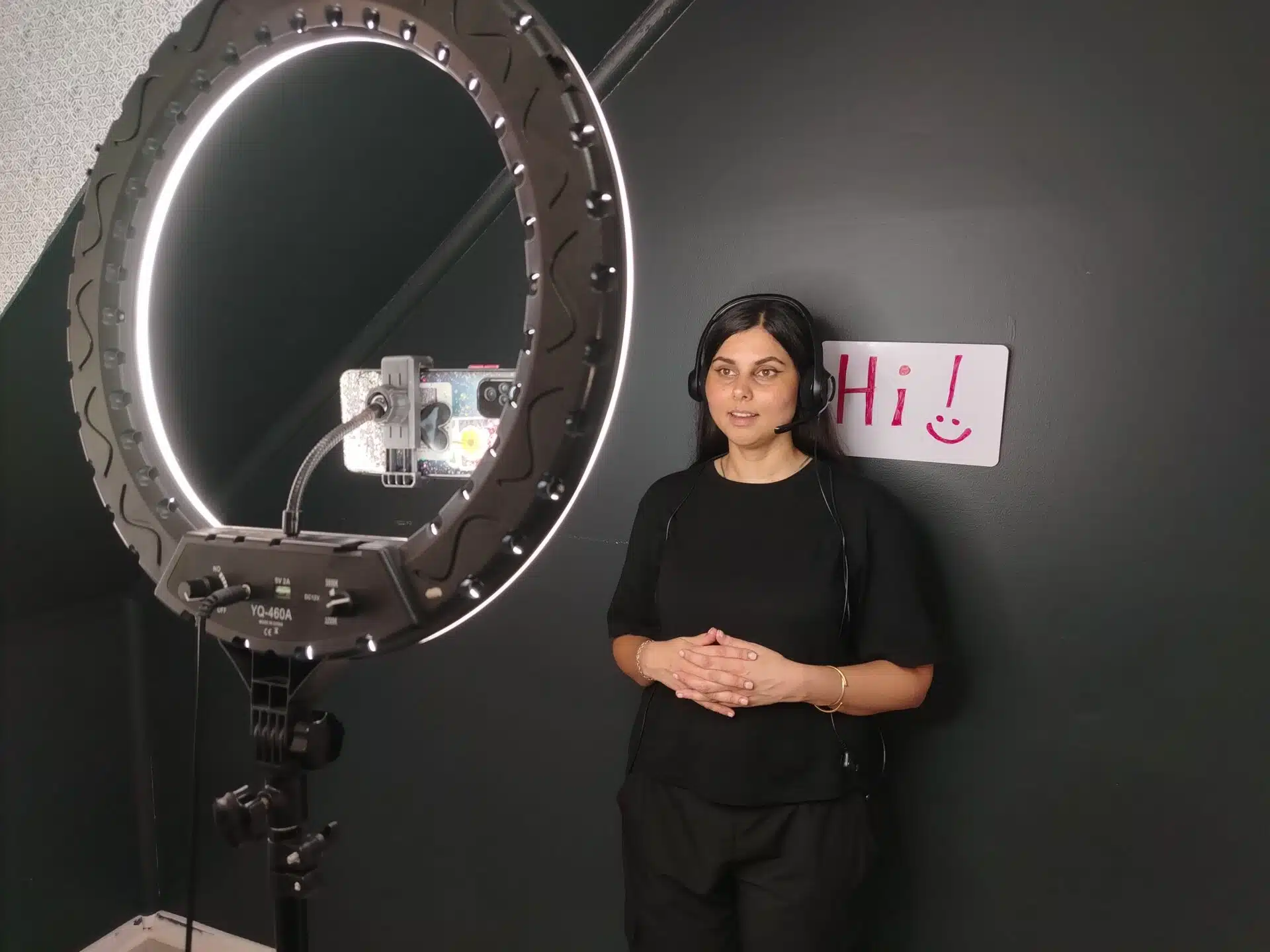
Lighting options
- Natural lighting: Sit facing a window to let the natural light do its magic.
- A ring light: A nice hack is to place a white sheet/pillow case over the light to remove the reflection of the light on your eyes.
- A desk lamp: Place it behind your PC screen, cellphone, or laptop to light your face from the front. Avoid placing it to the side, as that can leave half your face in shadow.
Camera positioning and framing
- Place your camera at eye level.
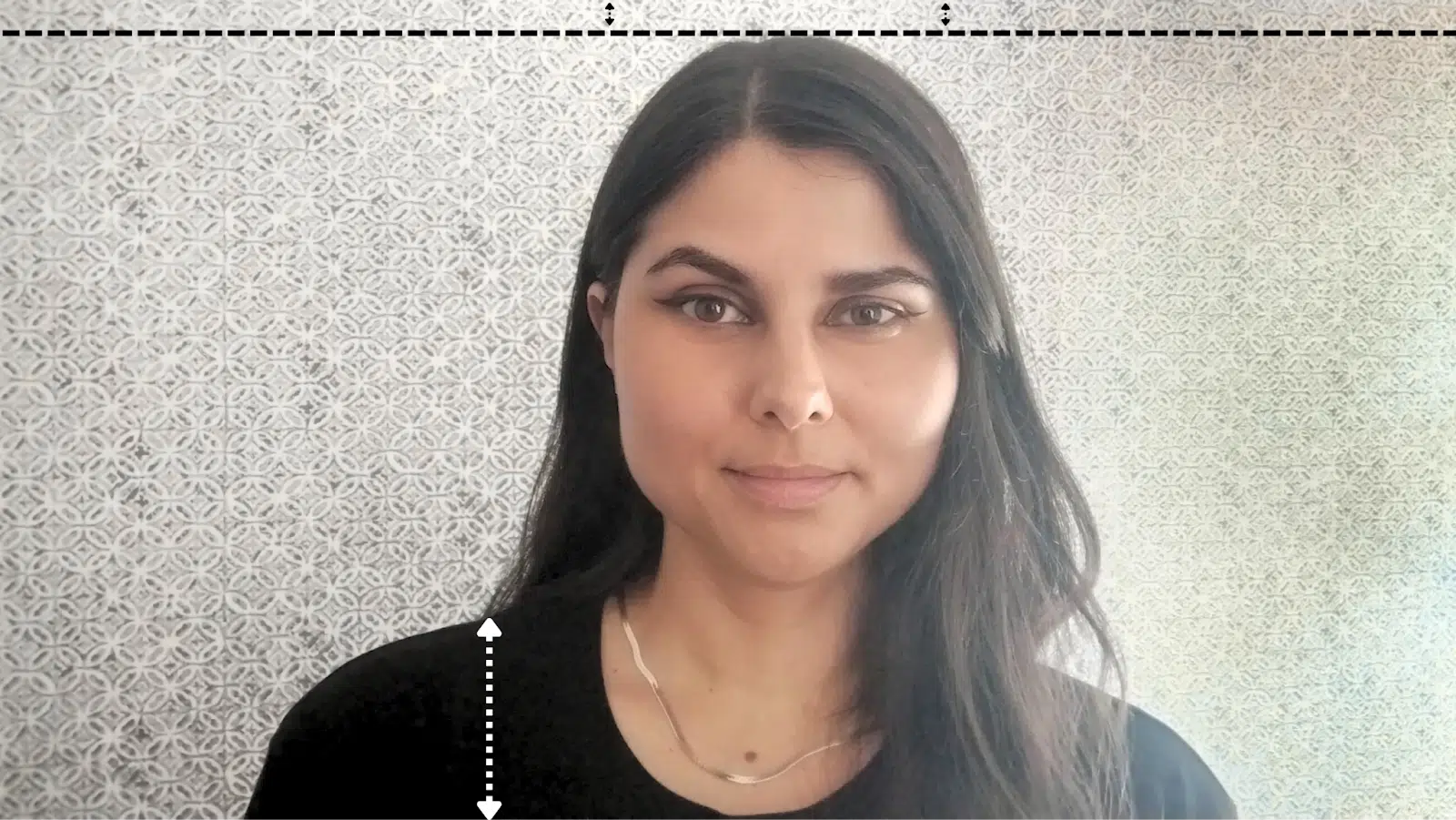
- Only your head and shoulders should be visible in the frame.
- Leave a minimum of 1 cm of space above your head.
- Record in landscape.

Framing and the rule of thirds
If you want to look like a pro, use the rule of thirds. Imagine your screen as a 3×3 grid and position yourself slightly off-centre, with your eyes near the top line and your body aligned to one side. Frame yourself from about mid-chest upward, with a small, natural gap between the top of your head and the edge of the screen.
If you’re talking straight to the camera, sit to one side. If you’re pointing to slides or a whiteboard, leave space for them in the frame. This technique makes your videos feel more natural and engaging.
But remember, the rule of thirds can enhance an introductory video, but online teachers should treat it as a guideline, not a requirement. Teacher presence and eye contact matter more than cinematic composition.
Background
Always have a clean, uncluttered background — you want to minimise anything that can distract students.
That said, your background doesn’t have to be a white wall. Stick to neutral tones — light greys, beiges, or soft pastels — instead of dark colours, which can absorb light, cast shadows, and make text or visuals harder to see on camera.
You can have minimalistic decor: a whiteboard with your name, a plant, a bookshelf, or a few stickers on your wall (for younger students).
💡Tip: Adult students prefer minimalist backgrounds, and Young Learners love colourful touches.
Read more: How to Design Your Ideal Online Teaching Setup
But what about virtual backgrounds?
They’re not always necessary. Showing the space you will be teaching from is a great way to further create an authentic feel.
When virtual backgrounds make sense
From a branding perspective, virtual backgrounds can create a consistent, professional look across all your videos by reinforcing your brand colours, logo, or visual identity. It’s also great for hiding background distractions, like clutter or passersby, if you don’t have a dedicated teaching space.
Keep virtual backgrounds simple and tailor them to your students. It’s a good way to add visual interest to themed lessons, show seasonal changes, and gently remind students whose virtual classroom they’re in.
Read more: Online Teaching Background Ideas
Recording your video
Now that your space is ready, let’s get you ready!
Before you record
Appearance
- Dress appropriately from the waist up. Wear a shirt or blouse if you’re teaching adults and a bright, cheerful top if you’re teaching kids.
- Avoid too much jewellery — it can reflect light, cause glare on camera, or become distracting when you move.
- Make-up and hair: Keep your hair clean and neat; avoid messy hairstyles and don’t overdo the makeup. Keep it simple.
Technical setup
- Wipe your camera lens.
- Ensure your space is quiet — put your phone on silent and turn off vibrate.
- Test your audio levels.
- Ensure your camera is at eye level.
- Make sure you’re well-lit without shadows on your face.
On-camera presence
- Look at the camera, not your screen.
- Smile! It helps students feel welcome and puts them at ease.You want to disarm your audience 🙂
The same setup, appearance, and on-camera presence rules apply when creating a teaching demo video. A well-made teaching demo helps your teaching skills shine just as much as your intro video!
Read more: How To Make A Kickass Teaching Demo Video For Teaching English Online
Delivery tips
How you deliver your introduction is just as important as what you say. Pay attention to:
- Pace and clarity: Slow your speaking pace down and speak clearly so that non-native speakers can understand.
- Energy and tone: Adjust your energy to your students — upbeat for kids, warm and professional for adults — and vary your tone to avoid the dreaded monotone.
- Body language: Use natural hand gestures, maintain good posture, and lean in slightly to appear engaged.
- Speaking naturally: Speak as you would to a friend. Don’t be scared of intermittent pauses — it’s okay to pause and think.
Read more: What Skills Do You Need To Teach Online Effectively?
How to manage on-camera nerves
Whenever I start recording an introduction video, I find that I waffle and trip over my words. I overcame this by slowing down and pausing between some sentences — I could repeat a sentence if I’d made a mistake, instead of starting from scratch. It makes editing much simpler!
💡Tip: Experiment with sitting or standing — You might feel more natural or energetic.standing typically brings more energy, while sitting feels more conversational.
Editing your video
Editing your video is simple — trim the silences or unwanted bits out, and you’re good to go.
Quick editing tools:
- Your phone: Use the built-in video editing feature.
- Loom: If you have used this recording tool to film, you can easily edit your video on there.
- iMovie: Mac users have this pre-installed.
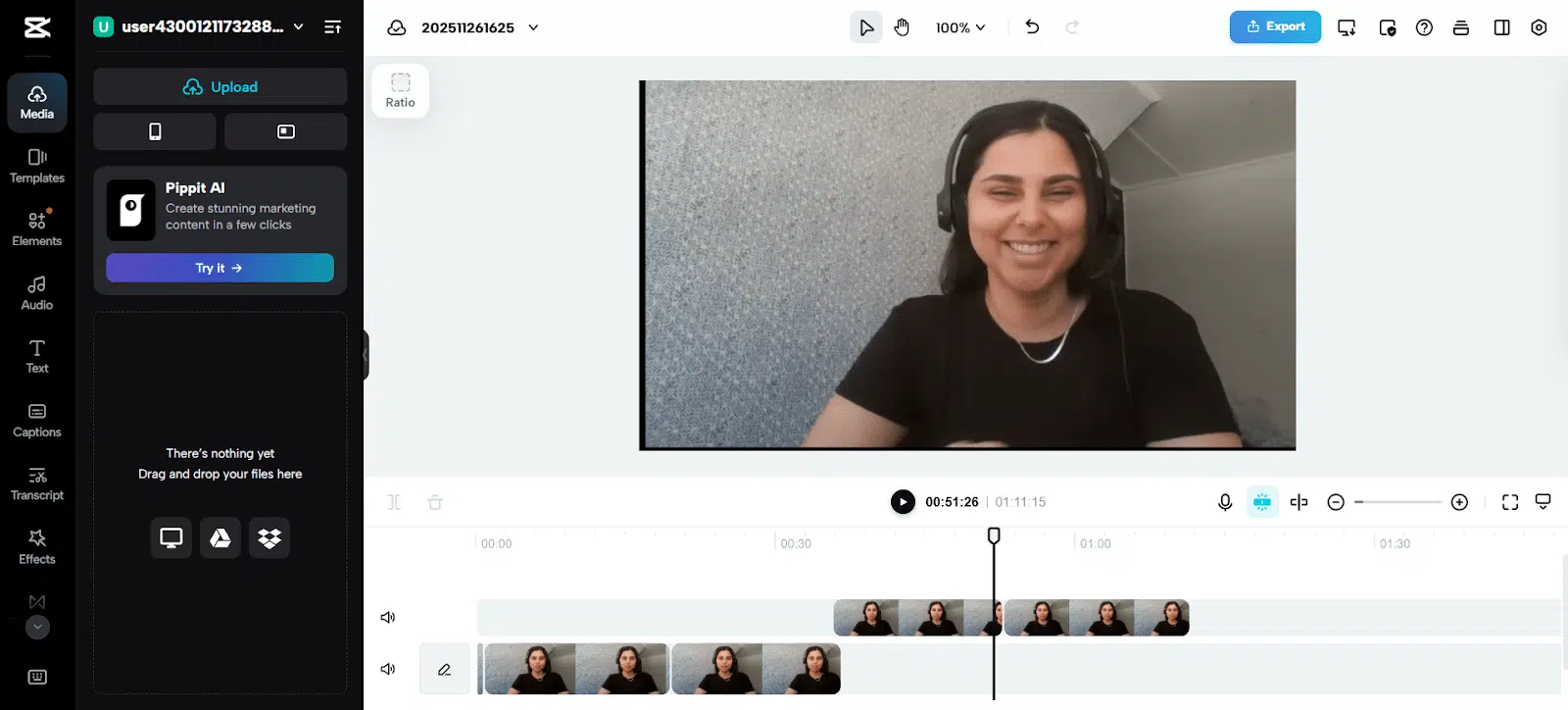
- CapCut: A free tool available for both PC and phone.
To save your video, download your video as an MP4 file. If the file is too large, use a free MP4 compressor online like FreeConvert to reduce it before uploading.
Editing is just one part of creating great content. For more free tools to help you teach and engage students, check out: 7 Amazing (Free!) Apps For TEFL Teachers


Common mistakes online teachers make (and solutions)
- Speaking too fast: If students struggle to understand you, they won’t want you as their teacher. Make sure your speech matches your potential students. If necessary, you can slow down your video playback in a video editor – but make sure you still sound natural.
- Trying to appeal to every type of student: Positioning yourself as a “jack of all trades” who’s able to teach everything to anyone comes across as generic. It doesn’t let you stand out from the crowd. Attract students by offering specialised skills, such as test prep.
- No call to action: This can result in lower bookings. Calls to action are proven to increase student booking rates.
- Videos are too long: This often leads to lower engagement and booking rates — keep your video below 90 seconds.
Key takeaways
If you’re new to teaching online or a seasoned veteran, having a good online introduction video influences your student acquisition rate.
Set up a camera-ready space, keep your video short (remember the 90-second limit), include a clear call to action and ALWAYS be yourself.
Read more: How To Start Teaching Online To Earn Money: Why Word Of Mouth Matters In ESL Teaching
Shoot your video, upload it, and see how your student bookings go. Don’t overthink it — you can always tweak it or create a new video later!
Author Bio

Accreditation & Quality Assurance
The TEFL Academy was the world’s first TEFL course provider to receive official recognition from government regulated awarding bodies in both the USA and UK. This means when you graduate you’ll hold a globally recognised Level 3 (120hr) Certificate or Level 5 (168hr) Diploma, meaning you can find work anywhere and apply for jobs immediately.